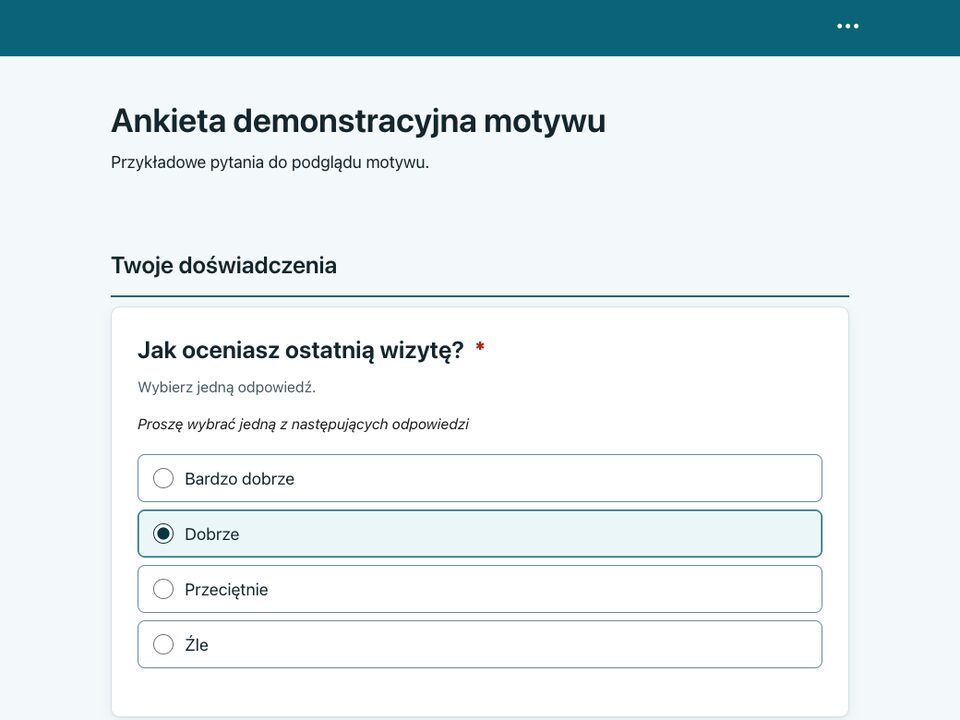
Medical
Calm teal, larger type and clear fields — for patient surveys, clinics and clinical research.
- Accent
#0A6378 - Text
#14262E - Background
#F3F8FA
Contrast: text 15.6:1 · button 6.8:1 · minimum 5.8:1


Eight free themes for LimeSurvey 6 and 7 built on one tested pattern: large answer fields, a clear focus ring, readable errors and WCAG 2.2 AA contrast. Download the ZIP for your version, import it in the admin panel and you are done. Installation guide.
The screenshots come from a real LimeSurvey installation. Every theme was tested on LimeSurvey 7.10.0 and 6.15.12. Switch the preview to see the phone view and an error message.
Calm teal, larger type and clear fields — for patient surveys, clinics and clinical research.
#0A6378#14262E#F3F8FAContrast: text 15.6:1 · button 6.8:1 · minimum 5.8:1
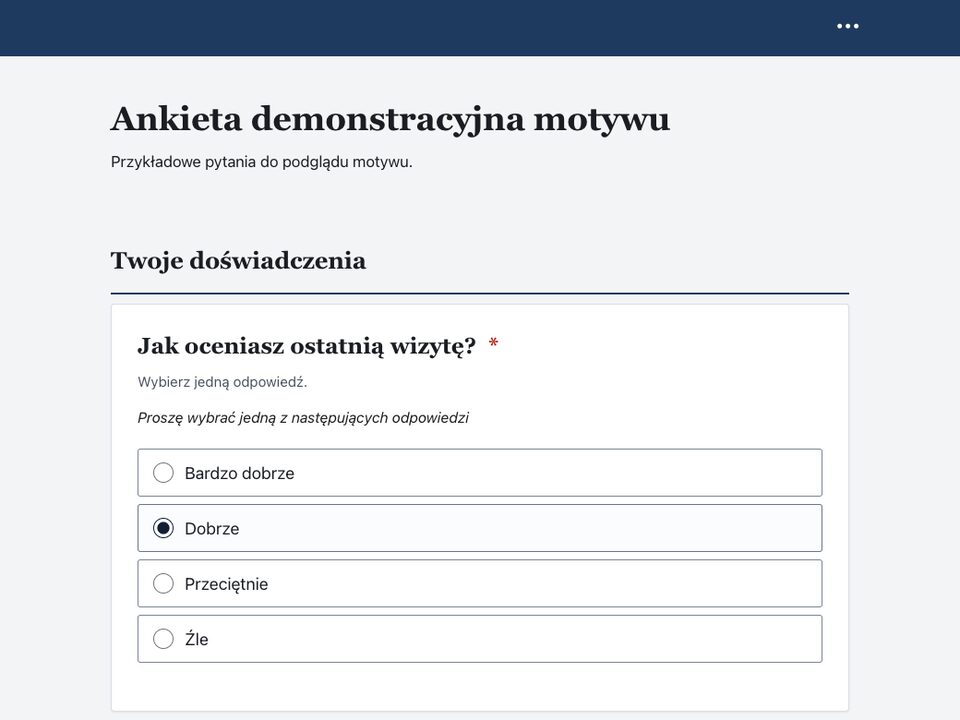
Navy, serif headings and a restrained layout — for B2B research, HR and evaluations inside organisations.
#1F3A5F#1A1D22#F3F4F6Contrast: text 16.9:1 · button 11.5:1 · minimum 5.8:1
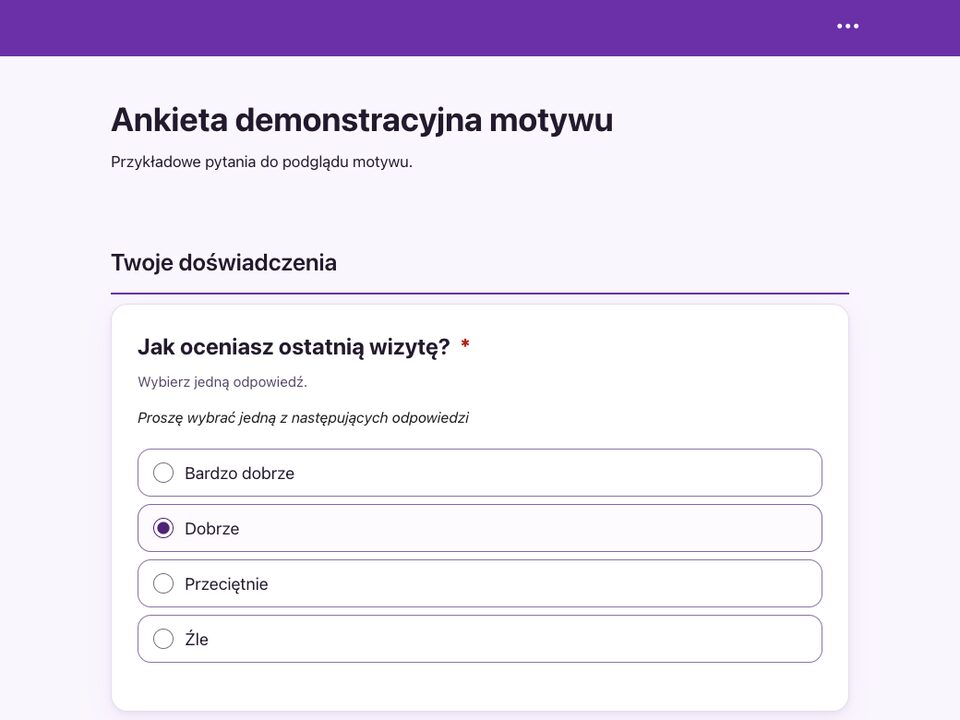
Warm violet, soft shapes and pill buttons — for communities, NGOs and opinion research.
#6B2FA8#231A2E#FAF6FEContrast: text 16.7:1 · button 8.1:1 · minimum 5.8:1
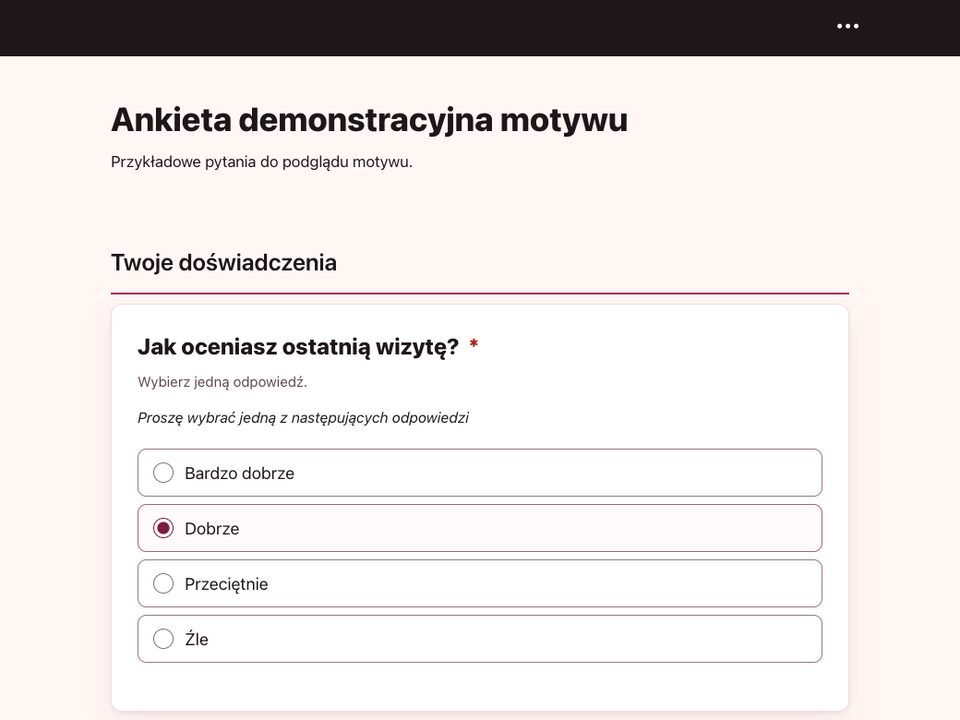
Bold magenta, heavy headings and high-contrast calls to action — for brand, product and NPS research.
#B0245A#1F161A#FFF7F4Contrast: text 17.7:1 · button 6.5:1 · minimum 5.8:1
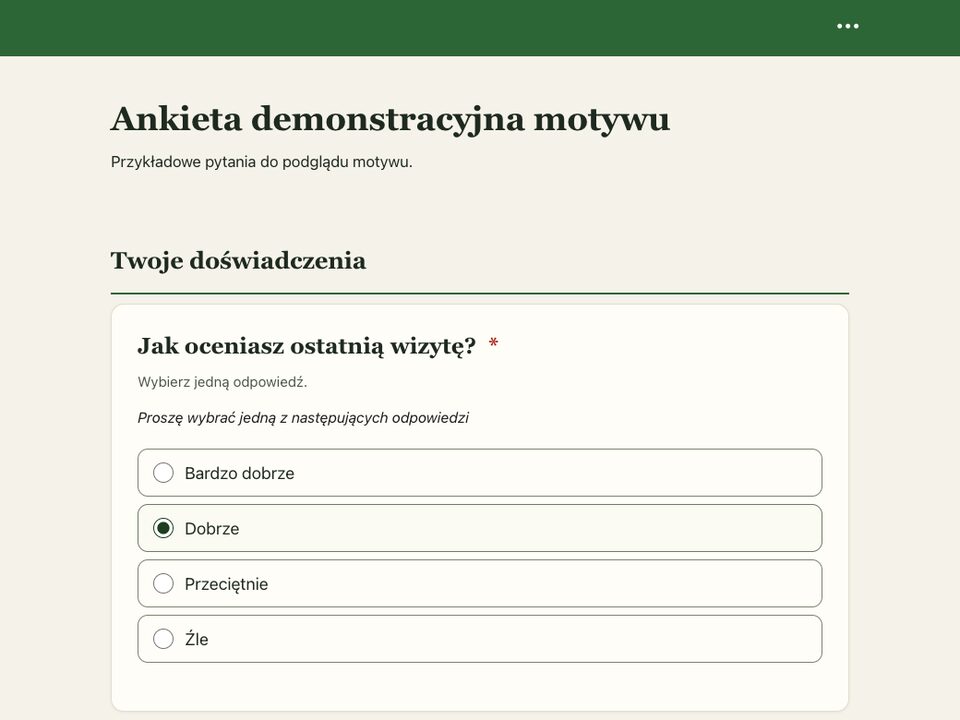
Forest green on a paper background — for environmental research, ESG, agriculture and tourism.
#2D6636#1E2A1F#F5F2E9Contrast: text 14.7:1 · button 6.8:1 · minimum 6.1:1
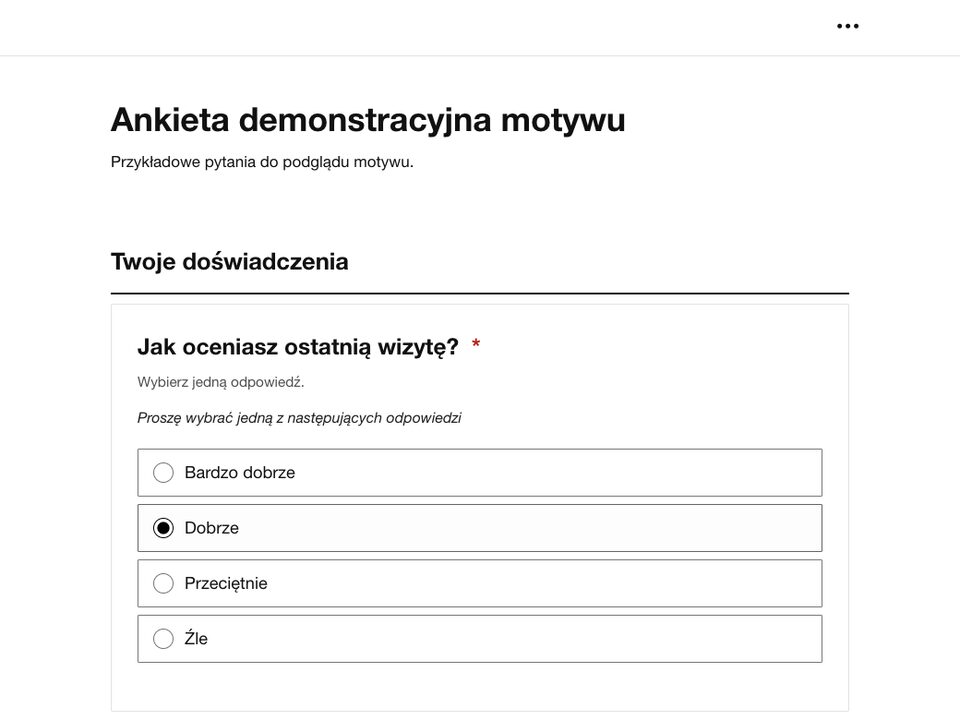
Black, white and plenty of space — no shadows or decoration. Neutral for any study.
#111111#111111#FFFFFFContrast: text 18.9:1 · button 18.9:1 · minimum 5.8:1
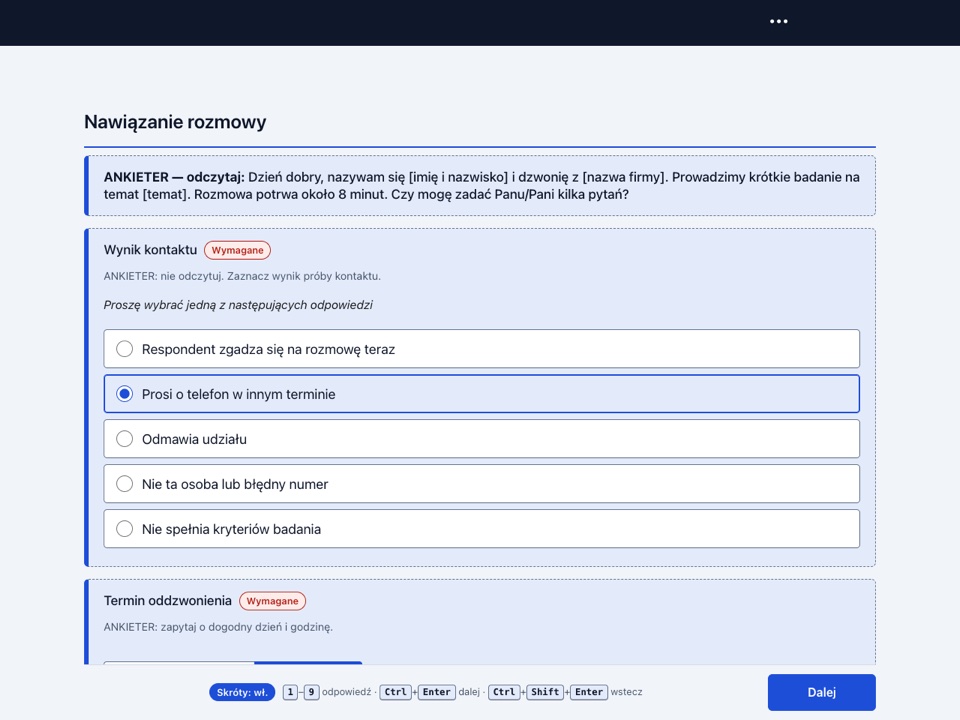
A telephone interviewer screen: a wide, compact layout, highlighted scripts, a sticky navigation bar and keyboard shortcuts (1–9, Ctrl+Enter).
#1D4ED8#0F172A#F1F4F9Contrast: text 17.9:1 · button 6.7:1 · minimum 5.8:1
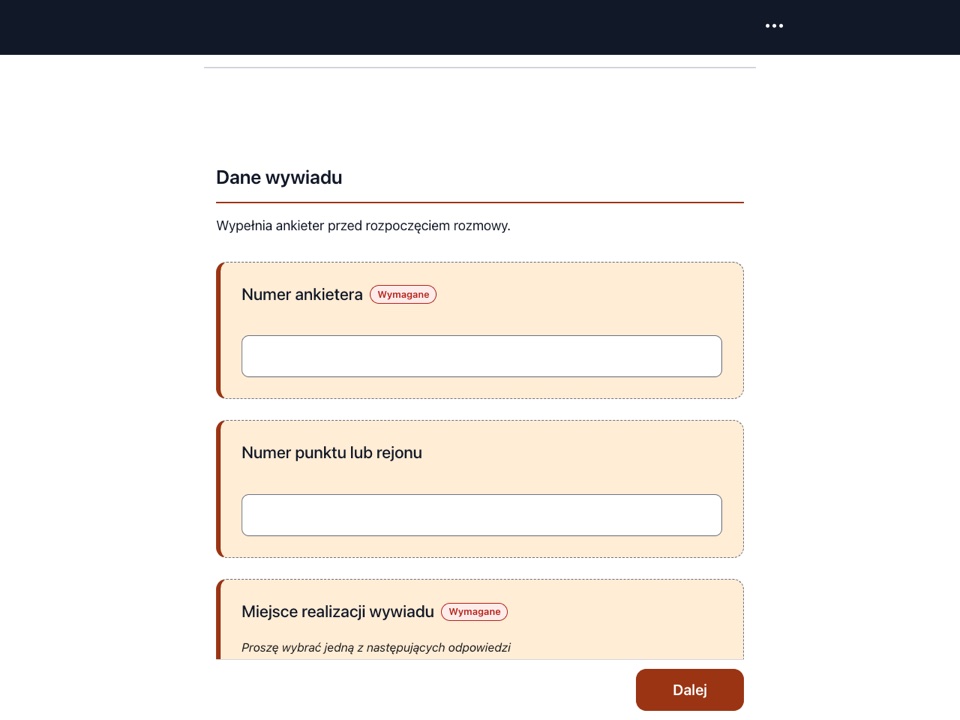
Tablets and phones in the field: 20 px text, 56 px touch targets, maximum contrast in sunlight and sticky Back/Next buttons.
#9A3412#111827#FFFFFFContrast: text 17.7:1 · button 7.3:1 · minimum 5.8:1
All themes share one base stylesheet (lc-base.css) and the lc-a11y.js script. They differ only in colours, typography, corner radii and layout — so they behave the same and are equally accessible.
The contrast of every palette is checked automatically when the packages are built — a theme that misses the thresholds is not released.
aria-invalid (1.4.1, 3.3.1).prefers-reduced-motion, forced-colors, print.The CATI and CAPI themes are designed for interviewers, but their mechanisms work in every LimeControl theme. Ready-made questionnaires are in the survey templates; call queues, telephony, assignments and quotas are provided by the StrefaAnkiet platform, which the free plugins connect to LimeSurvey.
Give a question the CSS class lc-interviewer (Question settings → Display → CSS class) and the theme marks it with a dashed frame as text to read out or a field completed by the interviewer.
In the CATI and CAPI themes the Back and Next buttons stay at the bottom edge of the screen — also on a phone, where they fit in one row.
Keys 1–9 select an answer; in arrays the focus moves to the next row by itself. Ctrl+Enter is “Next”, Ctrl+Shift+Enter is “Back”. Shortcuts can be switched off in the navigation bar.
20 px text, 56 px touch targets and a black-and-white palette with one strong accent — readable even in bright sunlight.
You need a superadministrator account (or the permission to import themes) and LimeSurvey 6.x or 7.x with the built-in Fruity TwentyThree theme.
The LimeSurvey version is shown in the footer of the admin panel. Download the 7.x or 6.x variant and do not rename the file — LimeSurvey names the theme directory after the file (e.g. lc_medical).
Configuration → Themes, the Survey themes tab, the Upload & install button. Choose the ZIP file and confirm.
In the survey: Survey settings → General → Theme, choose e.g. “LimeControl Medical” and save. In the LimeControl app it takes a single tap.
In the survey, Theme options → Images: set Logo: Yes and upload a PNG or JPG file.
Why two variants? LimeSurvey 7 added new options to the parent theme (colours, corner radii, icons, table wrapping), and the Theme options form only shows the options described in the package. Look and accessibility are identical in both variants — only the list of options in the panel differs. The 6.x variant is not marked as compatible with LimeSurvey 7 and vice versa.
When uploading through the panel is blocked (e.g. by the upload_max_filesize limit or directory permissions):
# on the server, in the LimeSurvey root directory
mkdir -p upload/themes/survey/lc_medical
unzip lc_medical.zip -d upload/themes/survey/lc_medical
The config.xml file must sit directly in upload/themes/survey/lc_medical/. Then find the theme in the list of available themes in Configuration → Themes and click Install.
Configuration → Global → General → Default theme. Existing surveys keep their theme — change it in the settings of each survey.
Open Configuration → Themes → Theme editor for the theme and edit css/lc-theme.css — all colours are --lc-* variables at the top of the file. After changing them, check the contrast (text ≥ 4.5:1, borders ≥ 3:1).
LimeSurvey will not overwrite an existing theme on import. The simplest way is to replace the files over FTP in upload/themes/survey/lc_… and then click Clear assets cache in Configuration → Global → General.
Alternatively: Uninstall the theme, delete its directory from the server and import the new ZIP (surveys then have to be assigned to the theme again).
A theme with this name is already on the server (the directory stays even after uninstalling). Delete the upload/themes/survey/lc_… directory or update the files manually — see “Updating to a new version”.
lc_medical_1, or does not work after importYour browser added “(1)” to the downloaded file. Remove that theme, rename the file back to lc_medical.zip and import it again. The file name must match the name in config.xml (lc_medical, lc_professional, lc_social, lc_marketing, lc_eco, lc_minimalist, lc_cati, lc_capi).
Replace the theme files with the 7.x variant (over FTP in upload/themes/survey/lc_…), then use Reset next to the theme in Configuration → Themes to load the new list of options, and clear the assets cache. The logo settings then have to be chosen again.
The themes show messages on the page by default. If your survey behaves differently, set Theme options → Simple options → Show popups to On page.
The themes extend the built-in Fruity TwentyThree theme available in LimeSurvey 6 and 7. Install it in Configuration → Themes or update LimeSurvey. Versions 5.x and older are not supported.
LimeSurvey caches theme files. Click Clear assets cache in Configuration → Global → General and reload the survey page bypassing the browser cache.
Interviewers switch them off with the “Shortcuts” button in the navigation bar (the choice is remembered in the browser). To disable them permanently, remove the line --lc-hotkeys: 1; from css/lc-theme.css.
Yes. The themes are licensed under GPL-2.0-or-later (like LimeSurvey) — you may change them, rebrand them and use them in commercial projects.
Yes — a theme is a survey setting on the LimeSurvey side. In the LimeControl app you can assign an installed theme to a survey.
LimeControl activates surveys, schedules launches and shows results from many LimeSurvey instances — for free, on iOS, Android and in the browser.