The LimeControl app
A native app for iOS and Android plus a PWA for the desktop: survey activation, scheduling, participants, statistics and response export across many LimeSurvey instances.
See the features →

LimeControl is a set of free, open-source tools for LimeSurvey: an app that manages surveys through the official RemoteControl 2 API, WCAG themes, ready-made survey templates, plugins and Docker deployments. Activate surveys, schedule mailings and check results.
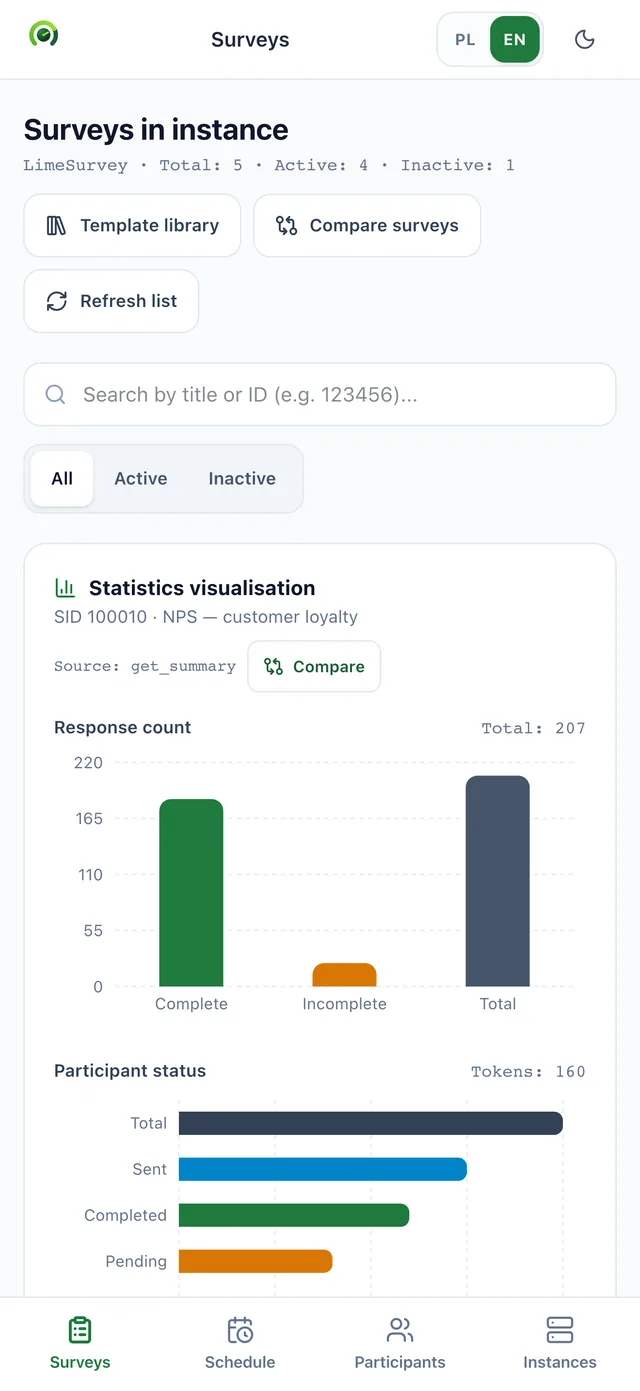
This is the app on iPhone and Android — with data from the demo instance. It works the same in the browser and as a PWA.
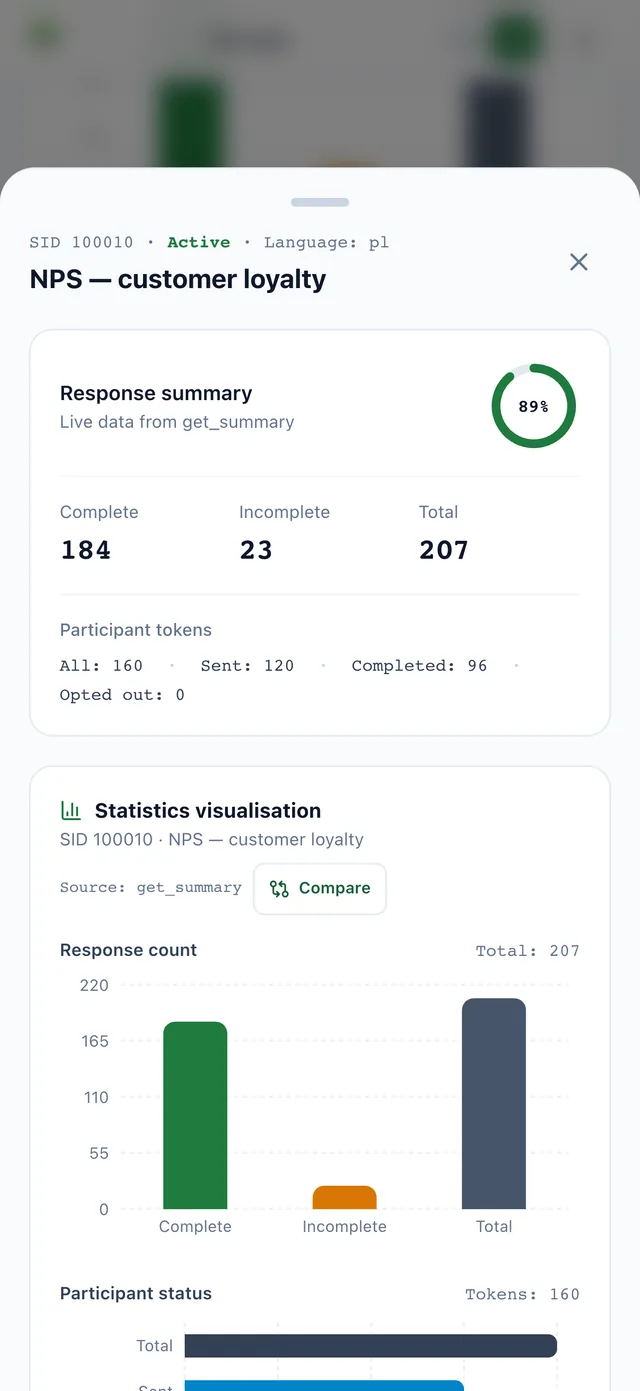
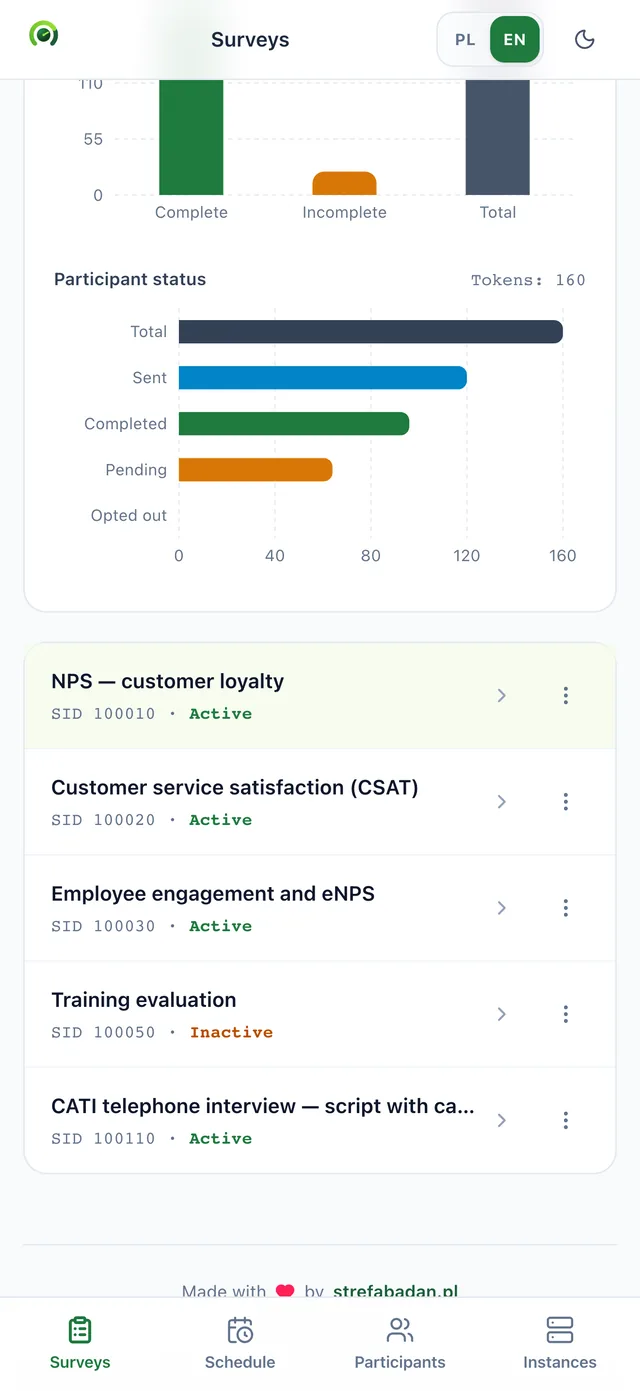
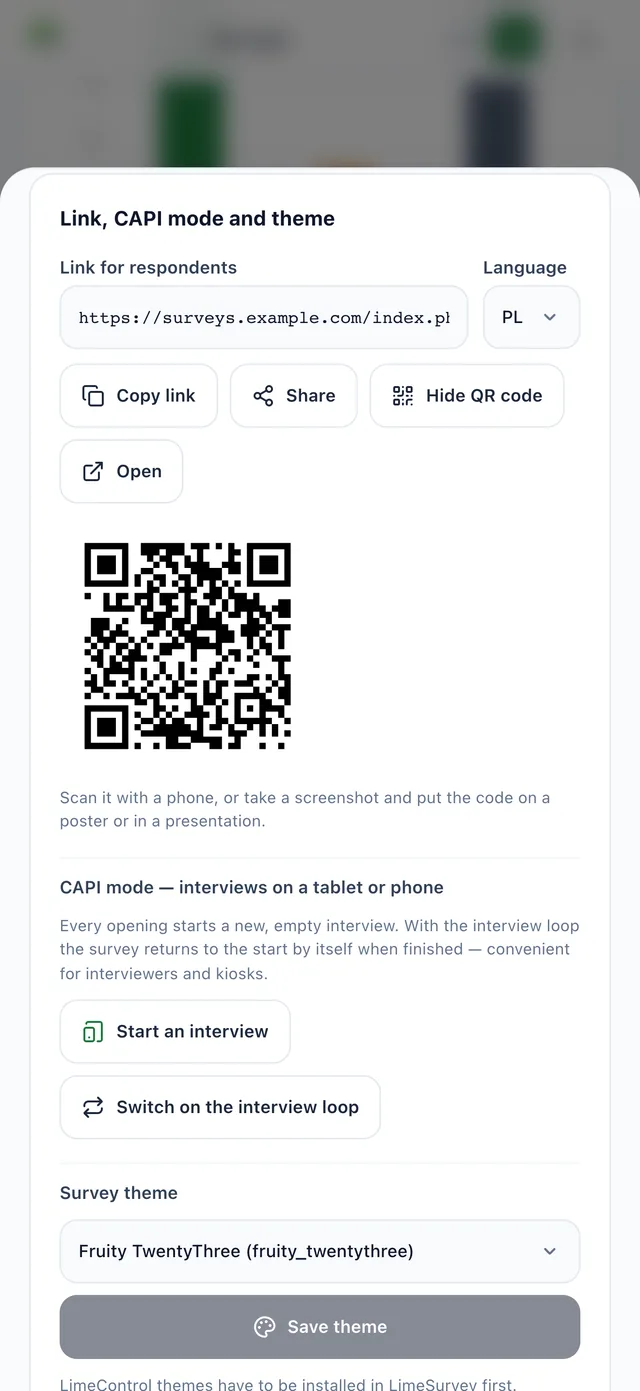
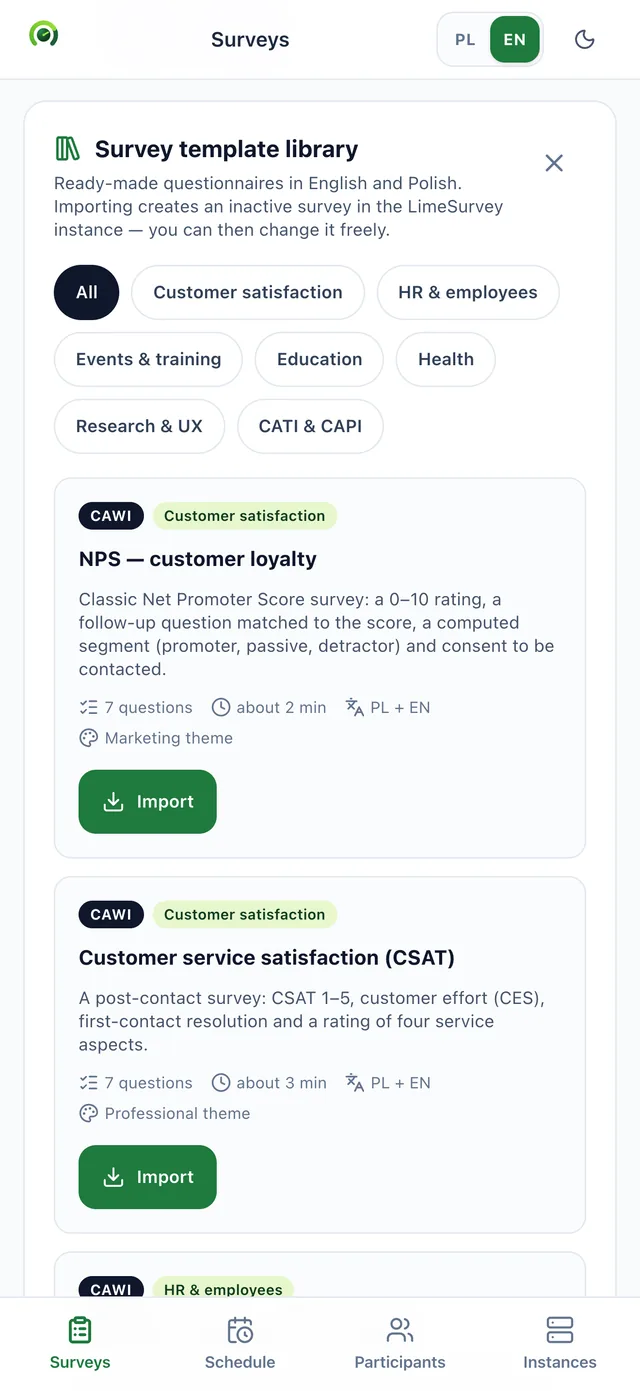
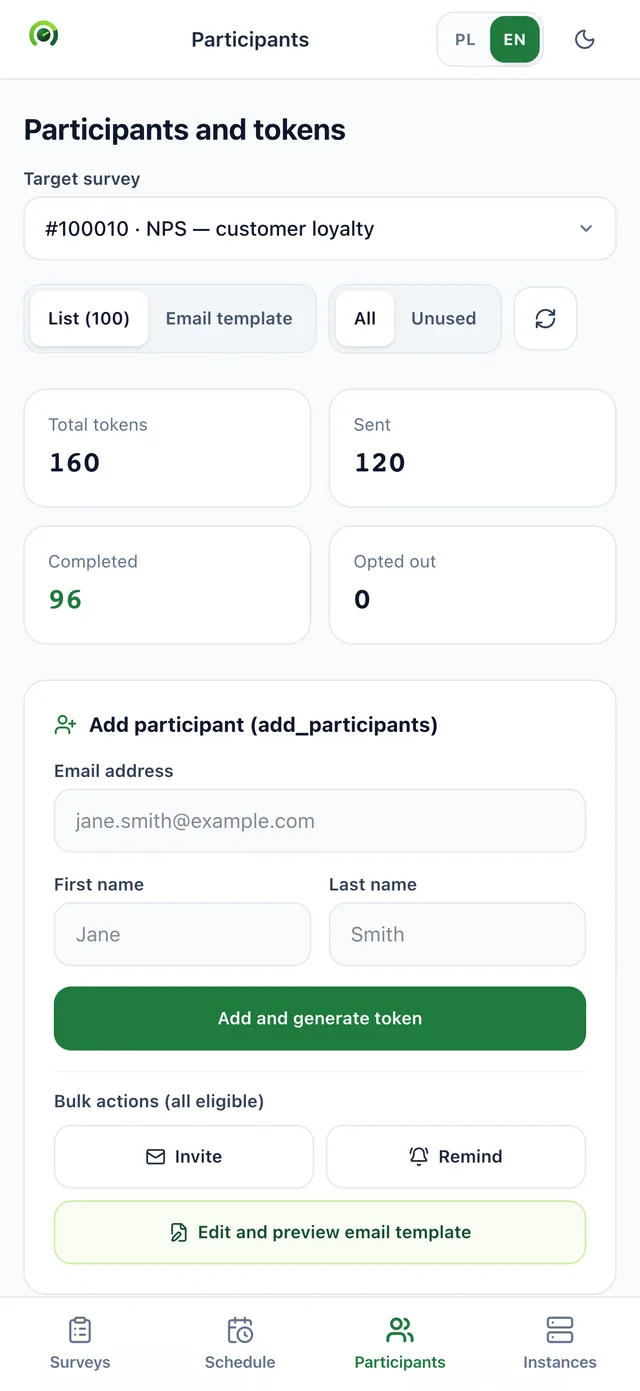
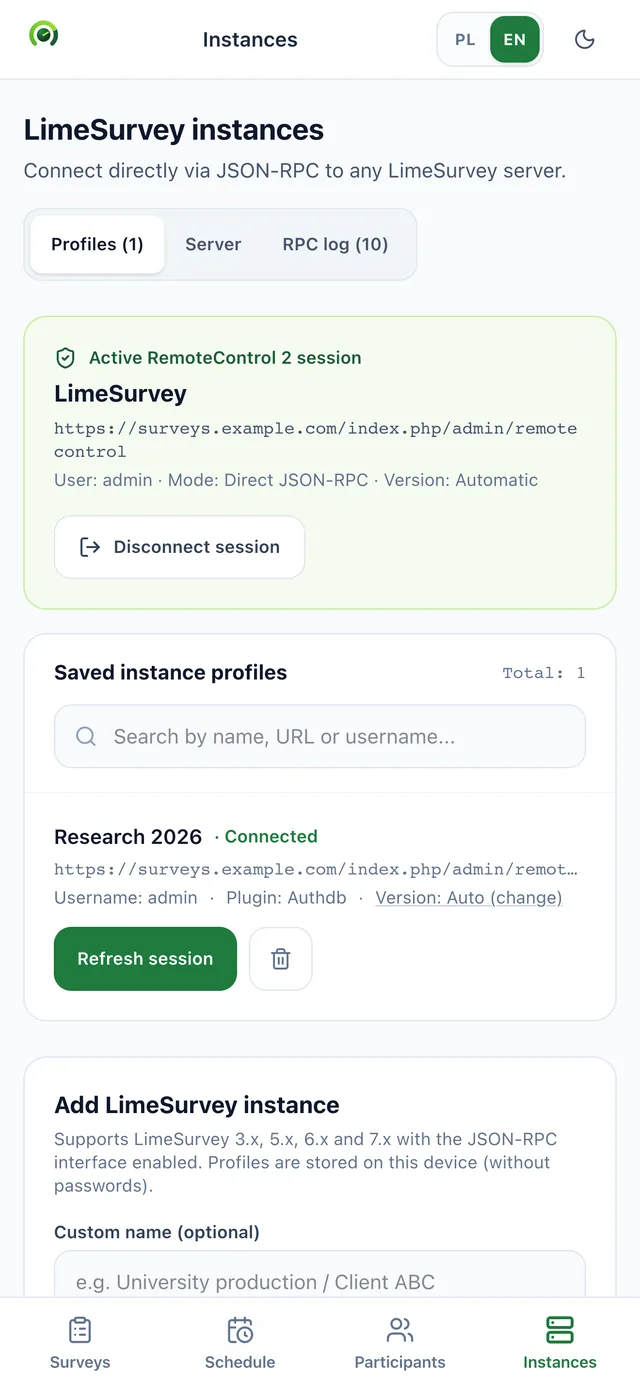
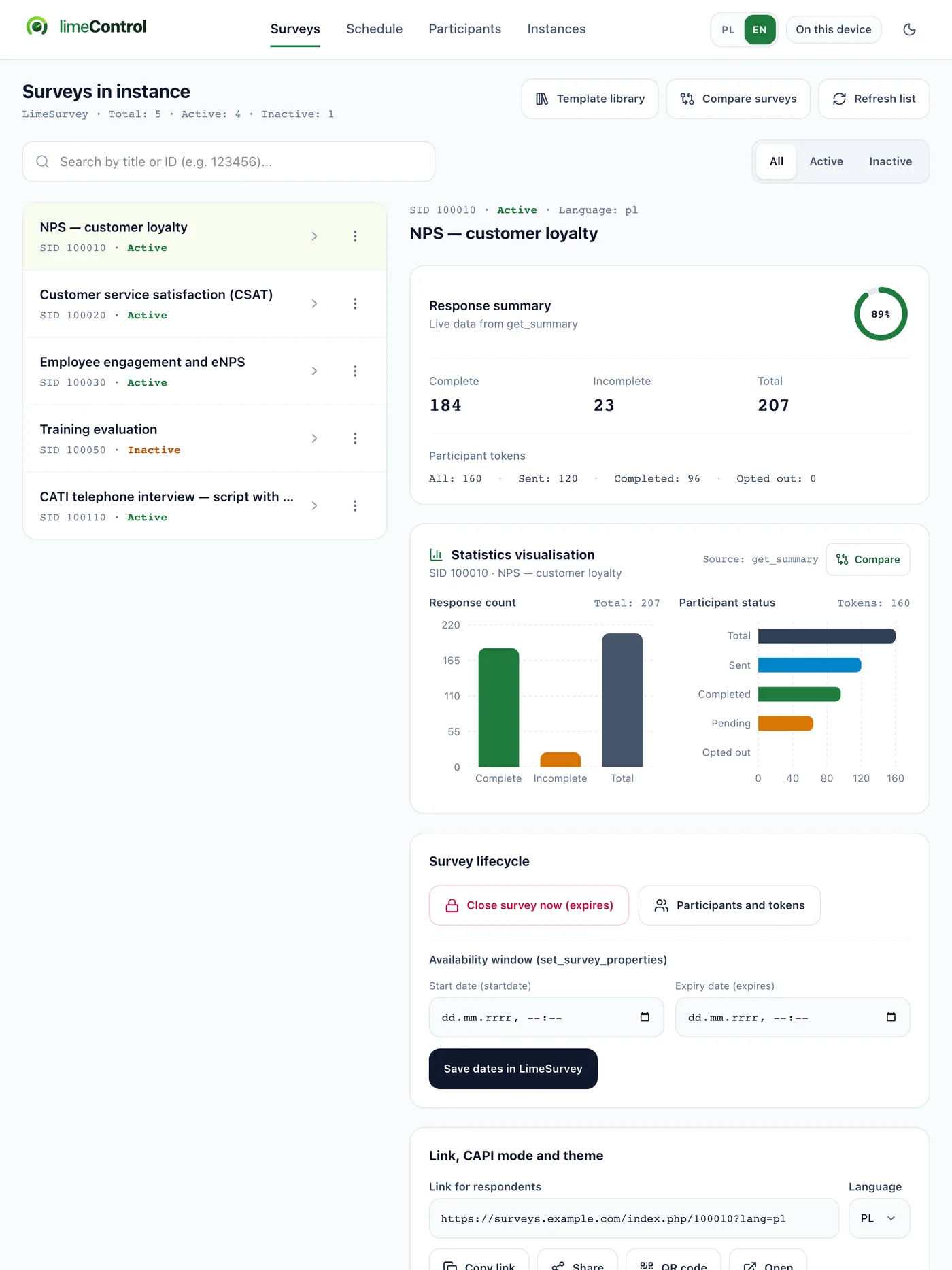
The free mobile app connects straight to your server — no account, no sign-up and no middleman. Server profiles stay on the device, passwords are never stored and exports go to the system share sheet.
Rather not install anything? Open LimeControl in the browser and add it to your home screen as a PWA.
Each piece works on its own; together they make a complete workshop — from installing the server, through the look and content of a survey, to fieldwork and results.
A native app for iOS and Android plus a PWA for the desktop: survey activation, scheduling, participants, statistics and response export across many LimeSurvey instances.
See the features →8 WCAG 2.2 AA themes for LimeSurvey 6 and 7 — from medical to minimalist, plus CATI and CAPI interviewer themes with keyboard shortcuts.
Download the themes →12 ready-made questionnaires in English and Polish: NPS, CSAT, employee engagement, evaluations, SUS, and CATI and CAPI interview skeletons.
Browse the templates →Free plugins that connect LimeSurvey to the StrefaAnkiet platform: mailing through Amazon SES, VoIP telephony for CATI, interviewer fieldwork and analysis. Only the platform account and services are paid.
Discover the plugins →Docker kits: a hardened LimeSurvey 7 with HTTPS and backups, and LimeControl on your own server — with no external services.
See the deployments →The app, the themes, the plugins and the deployment kits are open source, and the survey templates are released under CC0. Issues and pull requests are welcome.
Repository on GitHub →The most common survey operations — a few taps away, on any device.
Save a profile for every server and switch between them with one tap. Profiles sync in the cloud once you sign in with a Google account.
Activate a survey together with its token table, set the startdate and expires dates, close a study or copy a survey.
Schedule an activation, a survey closing, an invitation mailing or recurring reminders. The job runs on the server — even when your phone is off.
Import a ready-made questionnaire into the connected instance with one tap — from NPS to a CATI interview skeleton. You get an inactive survey you can change freely.
Copy or share the survey link, show a QR code for a poster or a slide, and set the survey theme — without opening the admin panel.
Start an interview on a tablet or phone and switch on the interview loop: when one interview ends, the survey starts the next, empty one by itself.
Add and remove respondents, edit email templates with a live preview, and send invitations and reminders — right away or from the scheduler.
A summary of responses and tokens in charts, and two surveys compared side by side — all from get_summary.
Download responses as CSV, Excel or JSON and look up column identifiers (SGQA and LS 7) in the get_fieldmap inspector.
Messages about completed and failed jobs, a view of every JSON-RPC call with its response time, CORS diagnostics and readable API errors.
A free, native app for iPhone, iPad and Android — no account needed. Get it for free: Google Play. The App Store version is waiting to be published. In the browser you can add LimeControl to your home screen as a PWA.
Run LimeControl in a Docker container and sign in with an access key — no Google account, and the relay and scheduler work inside your network.
You install nothing on the LimeSurvey server — an enabled JSON-RPC API is all it takes.
Configuration → Global settings → Interfaces and choose JSON-RPC.
Open LimeControl and sign in with a Google account. On your own installation an access key is enough.
Enter the LimeSurvey address, user name and password. The API path is filled in automatically.
Activate surveys, import templates, schedule mailings and download results.
The free LimeControl tools get a survey ready for an interviewer: a comfortable theme, a ready-made interview skeleton and an “interview after interview” mode. When a study needs assignments, a call queue, telephony and quotas, you add the free plugins and a StrefaAnkiet platform account — and follow fieldwork progress in the app.
We develop LimeControl as free, open-source software for every LimeSurvey user. It is funded by services — the StrefaAnkiet account, deployment and hosting — that is, by the things that cannot be handed out as code.
No limit on surveys, instances or users — and the code is open.
A platform subscription and services billed by usage — for when a study needs infrastructure and a team.
Need a server? We deploy and maintain survey servers built on LimeSurvey software — a separate, optional service.
You can run your own survey server and LimeControl yourself from open Docker kits. Or let us deploy and maintain a survey server for you — ready for work from day one.
A kit for bringing up your own survey server (LimeSurvey 7) on Ubuntu with a single install.sh script.
The app in a Docker container — no Google account and no external services.
Installation, configuration and maintenance of a survey server (built on the LimeSurvey engine) — on your infrastructure or on ours.
In direct mode LimeControl talks to your server straight from the browser — survey data does not pass through our servers, and LimeSurvey passwords are not saved in the profiles.
How we protect datalocalStorage. Optionally they are kept only in the memory of the open tab.Yes. The app, the themes, the survey templates, the plugins and the deployment kits are free of charge — with no limit on surveys or instances. If you find them useful, you can support their development with the “Buy me a coffee” link in the footer.
Services. A StrefaAnkiet account provides what software alone cannot: managed mailing through Amazon SES, VoIP telephony for CATI interviews, interviewers in the field, and analysis and reports. Separately we offer survey server deployment and maintenance. The free tools work without any of these services.
Yes. The code of the app, the survey themes and the deployment kits is on GitHub under GPL-2.0-or-later, and the survey templates are released under CC0. The StrefaAnkiet plugins for LimeSurvey are open source too. Bug reports and pull requests are welcome. The content and design of this website are not part of the open-source code.
Yes. The Docker kit in the deploy/selfhost directory runs the app without a Google account and without Firebase — you sign in with an access key and the server profiles stay in the browser. Installation guide.
Yes. You can use our open Docker stack or let us handle the deployment and maintenance of a survey environment based on LimeSurvey software — with HTTPS, backups and an API ready for LimeControl.
No. LimeControl uses the built-in RemoteControl 2 API — just enable the JSON-RPC interface in the global settings. The survey themes and the StrefaAnkiet plugins are optional.
Yes — with any 3.x–7.x instance that has JSON-RPC enabled and is reachable over HTTPS. For servers without CORS headers there is a server relay mode.
The free tools cover interviewer themes, interview skeletons, the CAPI interview loop in the app and the StrefaAnkiet plugins. Interviewer assignments, a call queue, VoIP telephony and quotas across modes are provided by a paid StrefaAnkiet platform account.
In the app, open the Surveys tab and choose “Template library” — the import creates an inactive survey in the connected instance. You can also download the .lss files from the website and import them in the LimeSurvey admin panel.
Add CORS headers on the LimeSurvey server or switch the profile to “Server relay” mode. Instructions with examples for Apache and Nginx.
Install the free LimeControl mobile app. Get it for free: Google Play. The App Store version is waiting to be published. Rather skip the store? Install the PWA: on Android use the “Install PWA” button or the Chrome menu → “Add to Home screen”; on an iPhone, in Safari choose “Share” → “Add to Home Screen”. Details.
Reading, editing, creating and activating surveys, managing participants and exporting responses. The full list of permissions.
Open LimeControl in your browser, add your LimeSurvey instance and install the app on your home screen.